


OpenVPN Connect
4.66.00K Reviews
App Specs
- Version
- 3.7.1
- Updated On
- License
- Free
- Downloads
- 10,000,000+
- Developer
- OpenVPN
- Categories
- Tools
- Platform
- Android
Screenshots
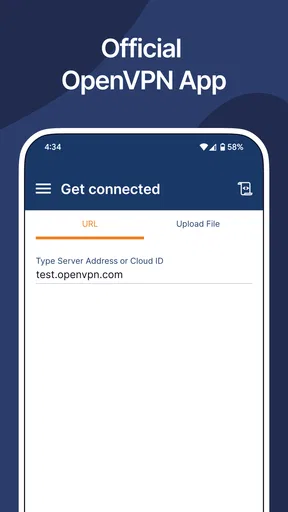
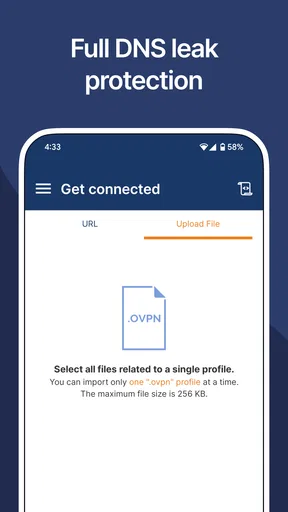
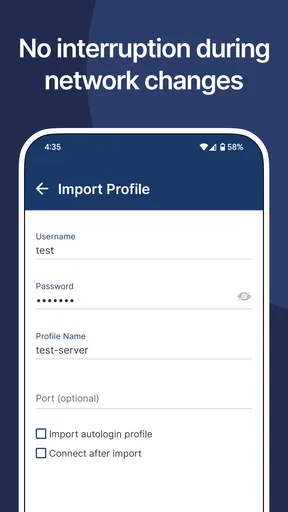
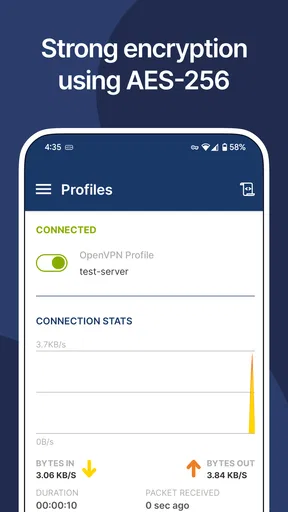
 Analysis by AppCompare
I’ve found that the most tiring part of using a work or school VPN is often not the connection itself; it’s dealing with the setup again whenever I change devices, networks or tasks. A VPN app is useful when it makes that routine less fiddly without pretending to be a one-tap privacy cure. OpenVPN Connect is a tools app from OpenVPN, and its value is clearest when you already have access to an OpenVPN-based service and need a straightforward way to connect from your phone.
This is not quite the same proposition as a consumer VPN app that sells a subscription and presents a map of countries to choose from. OpenVPN Connect is intended for use with Access Server and CloudConnexa, so it makes most sense when an organization or service has supplied the connection details. If you are looking for a VPN provider that gives you a ready-made list of personal browsing locations, this may not be the route you want.
Why the setup matters more than the button
The useful question is less “Can I tap Connect?” than “Do I have the profile or account details I need?” Once those are in place, the app can serve as a regular access point for work resources, rather than a tool you have to relearn each morning. That distinction saves time: a familiar profile is easier to return to than repeatedly searching through settings or asking a colleague how to start the connection.
For a first setup, I’d get the configuration or access instructions from the administrator or service you’re using before opening the app. Check that you have the right profile and login information, then follow the organization’s directions rather than guessing at connection options. This small bit of preparation avoids a common snag: installing a VPN client and expecting it to provide access by itself. The app is the connector, not a replacement for the service that grants access.
Where it earns a place in a daily routine
A realistic use is opening a work dashboard or internal resource while away from your desk. I’d connect before starting the task, confirm that the resource loads, and disconnect when I no longer need the protected route if that is how my organization expects it to be used. On a phone, this can be more convenient than waiting until I’m back at a computer, especially when I only need to check something briefly.
It can also help make a change of network less disruptive. If I move from home Wi-Fi to a café connection and still need to reach an approved work service, having the profile ready gives me a familiar place to start. The key trade-off is that a VPN can affect how traffic reaches services, so if a particular site or app stops behaving as expected, I would first check whether the organization requires the VPN for that task and whether I am using the correct profile.
The app is free, has an Everyone content rating and has been available since October 16, 2012. Its current version is 3.7.1, and it requires Android 9 or later. It has a 4.6 average from around 211,000 ratings, with more than 10 million installs. Those figures suggest a widely used client, but they don’t guarantee that a particular organization’s configuration will work without help from its administrator.
Worth Reading Before You Choose

EA SPORTS FC Mobile 26 Is a Bigger Football Game, but It Takes Time

Flipboard Shows What News Apps Must Do Beyond the Feed

Switching to Android Auto Means Rethinking Your Driving Routine

Google Calendar Makes a Crowded Week Easier to Manage

Ludo King Makes the Most of the Minutes Between Plans

Baby Panda World Brings Quick Play to Modern Phones, but Its Game Library Feels Busy
How it compares with a consumer VPN
Compared with typical consumer VPN apps, the main difference is the job it is built to do. Consumer services often emphasize picking a location and routing general browsing through a provider’s network. OpenVPN Connect is better understood as a client for connecting to an existing OpenVPN service. That makes it a sensible choice for managed access, but not automatically a substitute for a paid or free consumer VPN account.
I’d choose it when an employer, school or other service has directed me to use OpenVPN Connect and provided a profile or account. I’d skip it if I want an all-in-one app that supplies its own servers and makes choosing a country the main activity. That is not a weakness so much as a different purpose, but it is important to know before installing it and expecting the app to decide where your connection goes.
Security depends on the whole setup
A VPN can protect traffic along its route, but I would not treat the presence of a connection icon as proof that every part of my online activity is private. The service configuration, the account behind it and the websites or apps I use still matter. For work access, I follow the organization’s rules and avoid sending sensitive material through a connection I have not been told to use.
I also wouldn’t assume that using this client makes me anonymous or hides activity from every party. It is a tool for connecting to a VPN service, not a promise that all tracking disappears. That distinction is especially useful for newcomers: if your goal is secure access to a company resource, ask the administrator which profile to use; if your goal is broader personal privacy, compare providers and their policies separately.
Getting Started with OpenVPN Connect
First things first, OpenVPN Connect is all about providing a secure and private connection to the internet. It’s like your own personal invisibility cloak for browsing. Setting it up is pretty straightforward, which is a huge plus in my books. You download the app, and you're greeted with a clean, intuitive interface that doesn’t overwhelm you with a million options.
Once you’ve got it installed, connecting to a VPN server is as easy as pie. Just a tap here, a click there, and you’re good to go. The app supports a wide range of VPN configurations, so you’re not limited to just one type of connection. This flexibility is great for those who like to customize their setup.
Performance and Features
Performance-wise, OpenVPN Connect holds its ground pretty well. Whether you’re streaming, browsing, or just checking your emails, the connection is stable and fast. I didn’t notice any significant lag, which is crucial when you’re surfing the web or streaming videos. The app supports multiple protocols, ensuring that you always have the best possible connection based on your needs.
One of the standout features is the ability to import .ovpn profiles directly from the app. It’s as simple as dragging and dropping, which is great for those who aren’t super tech-savvy. Plus, the app provides a handy option to save your login credentials, so you don’t have to enter them every single time. It’s these little conveniences that make a big difference in the user experience.
Security and Privacy
Security is the name of the game with OpenVPN Connect, and it doesn’t disappoint. The app uses top-notch encryption standards to keep your data safe from prying eyes. Whether you’re connected to public Wi-Fi at a café or using your home network, you can browse with peace of mind knowing that your information is secure.
Privacy enthusiasts will appreciate the app’s strict no-logs policy. This means that your browsing history and data are not stored or tracked, adding an extra layer of privacy. In today's world, where data breaches are all too common, this feature is a must-have.
Usability Across Platforms
Another thing I love about OpenVPN Connect is its cross-platform usability. Whether you’re using Android or iOS, the experience is seamless. The app’s design is consistent across devices, so you don’t have to learn a new interface every time you switch from your phone to your tablet.
Moreover, the app supports multiple languages, making it accessible to a global audience. The developers seem to have put a lot of thought into making the app as user-friendly as possible, and it shows.
Final Thoughts
So, is OpenVPN Connect worth a shot? I’d say absolutely. Its ease of use, coupled with robust security features, makes it a solid choice for anyone looking to secure their online activities. While it might not have all the bells and whistles of some other VPN apps, it excels where it matters most: providing a stable, secure connection.
If you're ready to take control of your online privacy, give OpenVPN Connect a try. You might just find it's the perfect fit for your digital lifestyle. Safe browsing!
Pros
- Robust security features for safe browsing.
- Cross-platform compatibility enhances usability.
- User-friendly interface for easy navigation.
- Supports a wide range of VPN protocols.
- Reliable connection with minimal downtime.
Cons
- Limited free features in the basic version.
- Occasional speed drops during peak times.
- Some servers may not bypass all restrictions.
- Advanced settings can be overwhelming for beginners.
- Requires a subscription for full features.
FAQs for OpenVPN Connect
What is OpenVPN Connect, and how does it work?
OpenVPN Connect is a robust VPN client that provides secure access to the internet by encrypting your data and masking your IP address. It connects to OpenVPN servers, allowing you to safely browse the web, access restricted content, and protect your privacy on both public and private networks.
Is OpenVPN Connect free to use?
OpenVPN Connect itself is free to download and use with any OpenVPN-compatible server. However, to take full advantage of its features, you may need a subscription to a VPN provider that supports OpenVPN. Many providers offer free trials, but long-term use might require a paid plan.
What platforms does OpenVPN Connect support?
OpenVPN Connect is available for a variety of platforms, including Android, iOS, Windows, macOS, and Linux. This cross-platform availability ensures that users can maintain secure connections across all their devices, providing a seamless experience no matter where they are or what device they're using.
How secure is OpenVPN Connect compared to other VPN clients?
OpenVPN Connect is known for its high level of security, using strong encryption standards like AES-256. Its open-source nature allows for constant auditing by the community, ensuring vulnerabilities are quickly addressed. It is widely regarded as one of the most secure VPN protocols available.
Can I use OpenVPN Connect to bypass geo-restrictions on streaming services?
Yes, OpenVPN Connect can help bypass geo-restrictions on streaming services by connecting to a server in a different location. However, success may vary depending on the streaming service's VPN detection capabilities. While some services may be accessible, others might still block VPN traffic.


